
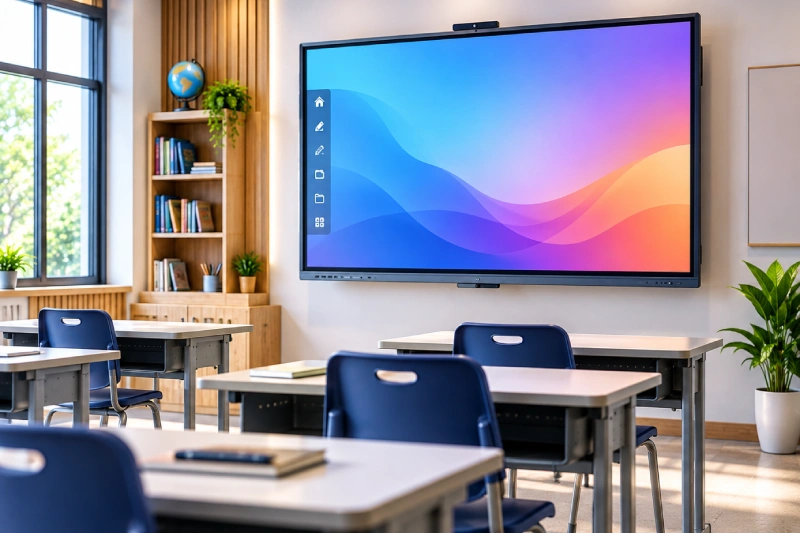
Classrooms are rapidly moving from traditional chalkboards and projectors toward technology-enabled teaching. One of the most important upgrades in this transition is the interactive flat panel for classroom use. Combining a large 4K display, touchscreen functionality, digital whiteboard tools, multimedia playback and screen sharing, an Interactive Flat Panel (IFP) can turn a conventional classroom into a more collaborative learning environment.
However, choosing an IFP is not simply about selecting the biggest screen or the lowest interactive panel price in India. Schools, colleges and coaching institutes need to consider screen size, viewing distance, touch technology, operating system, connectivity, software, installation, warranty and after-sales support.
This buying guide explains the important specifications to consider before investing in an interactive panel for your institution in 2026.
What Is an Interactive Flat Panel?
An Interactive Flat Panel is a large touchscreen display designed for presentations, teaching, collaboration and digital content. Unlike a conventional projector-based classroom, the display itself produces the image and allows teachers and students to interact directly with the screen.
A modern digital classroom board can be used to write notes, draw diagrams, annotate documents, display videos, browse educational websites, present PowerPoint files and share content from laptops or mobile devices.
Vardhaman Trading’s Interactive Flat Panels are designed as all-in-one classroom solutions, combining 4K Ultra HD display technology, multi-touch functionality, digital whiteboard tools, multimedia capabilities, Wi-Fi connectivity and screen-sharing features.
Why Schools Are Choosing Smart Classroom Boards
A smart board for school can change how teachers present information. Instead of writing everything manually on a conventional board, educators can combine handwriting with images, videos, diagrams, presentations and online resources.
Interactive teaching can also encourage greater student participation. A teacher can display a question on the screen, invite students to solve it, annotate an image or work together on a digital activity.
For subjects such as mathematics, science, engineering, geography and languages, visual content can make explanations more dynamic.
The technology is also useful beyond daily teaching. Colleges can use interactive panels for seminars and presentations, while coaching institutes can use them for solving questions, displaying test analysis and explaining complex concepts.
4K Touch Display: Why Resolution Matters
One of the first specifications to check is display resolution.
A 4K touch display provides a resolution of 3840 × 2160 pixels, allowing text, diagrams, photographs and videos to appear with high detail. This becomes particularly useful when students are viewing content from a distance.
Higher resolution can improve the clarity of small text and detailed educational diagrams, but screen size and viewing distance must also be considered. A high-resolution display cannot compensate for an undersized panel in a large classroom.
Therefore, institutions should evaluate the panel in the actual classroom environment before making a bulk purchase.
20-Point Touch and Multi-Touch Functionality
Touch capability is one of the defining features of an interactive panel.
Many modern panels support multiple simultaneous touch points, allowing more than one person to write or interact with the screen at the same time. A 20-point touch system, for example, can support collaborative activities involving multiple fingers or users, depending on the panel’s software and hardware configuration.
For schools, multi-touch functionality can be useful for group activities, interactive quizzes, collaborative problem-solving and demonstrations.
When comparing different models, ask not only how many touch points are supported but also how accurately and smoothly the panel responds to writing and gestures.
Android OS and Smart Classroom Functionality
The operating system is another important consideration.
Panels with Android OS can provide an integrated smart interface for accessing applications, web resources, digital whiteboard tools and multimedia content without requiring a separate computer for every basic classroom task.
However, schools should check the exact Android version, available RAM and storage, application compatibility, update policy and security features before purchasing.
It is also useful to confirm whether the panel supports connection to Windows laptops, Mac systems or other external devices. A classroom should ideally be able to switch easily between built-in applications and external teaching devices.
Screen Mirroring and Wireless Teaching
Screen mirroring allows teachers to display content from a laptop, tablet or smartphone directly on the interactive panel.
This can be particularly useful when a teacher wants to show:
- A presentation from a laptop
- A document or PDF
- A mobile application
- Educational videos
- Student work
- Online resources
- Images and diagrams
Wireless connectivity can reduce the number of cables required around the teaching area and make classroom presentations more flexible.
Before buying, institutions should check which wireless standards and devices are supported and whether screen sharing works reliably across the devices used by their teachers.
Choosing the Right Interactive Panel Size
Screen size should be selected according to classroom dimensions, student capacity and viewing distance.
Vardhaman Trading currently lists 55-inch, 65-inch, 75-inch and 86-inch options. Its published guidance broadly maps smaller panels to smaller classrooms and larger panels to larger classrooms and lecture spaces.
55-Inch Interactive Panel
A 55-inch panel can be suitable for smaller classrooms, training rooms, meeting rooms and compact learning spaces.
It can provide a practical balance between display area and room size when students are seated relatively close to the screen.
65-Inch Interactive Panel
A 65 inch IFP is a common consideration for medium-sized classrooms. It provides a larger viewing area while remaining suitable for rooms where an 86-inch display would be unnecessarily large.
It can be appropriate for schools, coaching centres, smaller college classrooms and training rooms.
75-Inch Interactive Panel
A 75 inch panel provides a larger canvas for teaching and presentations. It can be considered for larger classrooms where students are seated farther from the display.
The additional screen area is useful when teachers need to display detailed diagrams, presentations, videos or multiple pieces of information simultaneously.
86-Inch Interactive Panel
An 86 inch panel is designed for larger teaching spaces, lecture halls, seminar rooms and other environments where viewing distance is greater.
The larger display provides better physical visibility for students seated farther away, although the final selection should always consider room dimensions and seating layout.
65 vs 75 vs 86 Inch: Which Size Should You Buy?
There is no universal answer because classroom layouts differ.
A useful approach is to evaluate:
Classroom size: Measure the room rather than selecting a panel based solely on student count.
Viewing distance: Students at the back of the classroom should be able to comfortably read text and view diagrams.
Content type: Mathematics, engineering and scientific diagrams may benefit from a larger display.
Student capacity: Larger groups generally require larger screens.
Wall space: Make sure the selected panel can be safely installed with sufficient surrounding space.
Budget: Larger displays generally involve a higher investment, so the size should match an actual classroom requirement.
Vardhaman Trading recommends confirming the final panel size based on classroom dimensions and viewing distance rather than treating size recommendations as fixed rules.
Interactive Panel Price in India: What Should Schools Budget For?
One of the most frequently searched questions is “What is the interactive panel price in India?”
There is no single market price because IFPs are available across different specifications and configurations. The final quotation can depend on:
- Screen size
- Display resolution
- Touch technology
- Number of touch points
- Processor and memory
- Android OS version
- Built-in applications
- Connectivity options
- Camera and microphone requirements
- Installation
- Wall mount or mobile trolley
- Warranty
- Training
- After-sales support
- AMC requirements
Therefore, schools should compare complete specifications rather than comparing only the headline price.
A lower-priced panel may have different hardware, software or support specifications from a premium model. Similarly, two panels of the same screen size can have significantly different configurations.
For institutional procurement, requesting a live demonstration and a detailed quotation can make the comparison more meaningful.
What Is NMB Certification?
When evaluating interactive panels, buyers may encounter various certifications and compliance specifications. If NMB certification is included in a supplier’s specification, institutions should ask the vendor to clearly explain the applicable standard, certificate and testing scope.
Rather than relying on certification names alone, procurement teams should request the relevant documentation and verify that the supplied model matches the certified product.
For schools purchasing IFPs in bulk, compliance documentation should form part of the technical evaluation process alongside display quality, touch performance, connectivity and warranty.
Interactive Whiteboard vs Interactive Flat Panel
An interactive whiteboard and an Interactive Flat Panel are related but not identical solutions.
Traditional interactive whiteboard systems typically require a separate projector and computing setup. The board acts as the interactive surface while the projector provides the visual display.
An IFP integrates the display and touchscreen technology into a single device. This can simplify classroom installation and reduce dependence on projector-based equipment.
An IFP can also provide features such as built-in applications, speakers, wireless connectivity and screen sharing within the same system.
For institutions upgrading multiple classrooms, this integrated approach can simplify classroom infrastructure and day-to-day operation.
Important Features to Check Before Buying
Before finalising an IFP, schools should create a technical checklist.
Display Quality
Check resolution, brightness, contrast, viewing angle and screen finish. A 4K touch display can provide detailed visuals, but brightness and readability are equally important.
Touch Response
Test handwriting, multi-touch gestures, palm rejection and response time during an actual demonstration.
Operating System
Check the Android version, processor, RAM, storage and software update policy.
Connectivity
Look for HDMI, USB, Wi-Fi, Bluetooth, LAN and other ports required by your institution.
Screen Sharing
Test screen mirroring with the laptops, tablets and smartphones commonly used by teachers.
Audio
Check the built-in speaker output and determine whether additional classroom speakers will be required.
Installation
Confirm whether wall mounting, cabling, configuration and initial setup are included.
Warranty and AMC
Ask for written warranty terms and understand what components and services are covered. For institutions with multiple panels, an annual maintenance contract may also be considered for ongoing technical support.
Why a Live Demonstration Is Important
An interactive panel can have impressive specifications on paper but still feel different during actual use.
Teachers should test the panel before purchase. Writing should feel natural, touch response should be consistent, menus should be easy to navigate, and content should remain clearly visible from different seating positions.
Vardhaman Trading provides live demonstrations so educational institutions can evaluate the product before making a purchasing decision. The company also provides installation, configuration and initial setup support.
The company’s installation portfolio also includes Interactive Flat Panel installations at schools, including installations at four ZP schools in Shirur and Pioneer Public School in Manjri.
Installation and Classroom Integration
Buying the panel is only one part of creating a smart classroom.
The installation should consider:
- Screen height
- Viewing angles
- Wall strength
- Power supply
- Cable management
- Network connectivity
- Teacher movement
- Student accessibility
- External computer connections
- Audio requirements
The panel can also be integrated with other classroom infrastructure such as teacher tables, student desks, podiums, writing boards and storage systems.
Vardhaman Trading offers complete classroom infrastructure solutions, allowing institutions to coordinate furniture and technology requirements through one supplier.
Interactive Flat Panel Maintenance
Although an IFP can reduce dependence on projector-based equipment, it still requires proper maintenance.
The touchscreen should be cleaned using manufacturer-recommended methods. Avoid harsh chemicals or abrasive materials that can damage the display surface.
Schools should also maintain stable power and network connections and ensure that software is updated according to the manufacturer’s recommendations.
For large institutions, maintaining a record of panel serial numbers, installation dates, warranty status and service history can make technical management easier.
An AMC can be considered where an institution wants structured post-warranty service and technical assistance, subject to the supplier’s terms.
Interactive Flat Panel for Different Institutions
Schools
A smart classroom board can support digital textbooks, educational videos, interactive activities, presentations and collaborative teaching.
Colleges and Universities
Large panels can be useful for technical diagrams, presentations, engineering concepts, research discussions and multimedia lectures.
Coaching Institutes
IFPs can make problem-solving sessions more visual by combining handwritten explanations with digital questions, diagrams and presentations.
Training Centres
Interactive panels can support workshops, corporate training, presentations and collaborative sessions.
Seminar and Lecture Halls
Large 75-inch and 86-inch displays can provide a practical display solution where participants are seated farther from the screen.
Why Choose Vardhaman Trading for Interactive Classroom Solutions?
Vardhaman Trading combines its experience in educational furniture and classroom infrastructure with Interactive Flat Panel solutions. The company offers consultation, live demonstrations, professional installation and after-sales support.
This integrated approach can be useful for institutions that are simultaneously upgrading desks, chairs, podiums, writing boards and digital classroom technology.
Instead of selecting an IFP purely on specifications, schools can discuss their classroom dimensions, teaching requirements, student capacity and budget with the supplier before selecting the appropriate configuration.
Final Buying Checklist
Before placing an order for an interactive flat panel for classroom use, confirm:
- Correct screen size for the classroom
- 4K display resolution
- Touch-point capability
- Touch response and writing accuracy
- Android OS specifications
- RAM and storage
- Screen mirroring compatibility
- Required input and output ports
- Audio specifications
- Wall mounting or trolley requirements
- Installation and configuration
- Warranty coverage
- Software update policy
- Service response
- AMC options
- Certification and compliance documentation
- Availability of a live product demonstration
Final Thoughts
An Interactive Flat Panel can become the central technology platform in a modern smart classroom, but the right purchase requires more than comparing prices.
Schools should evaluate the complete package: screen size, 4K display quality, touch performance, Android OS, connectivity, screen mirroring, installation, warranty and long-term support.
A 65-inch panel may be appropriate for one classroom, while a 75-inch or 86-inch panel may be more suitable for a larger lecture space. Similarly, the cheapest interactive panel price in India may not represent the best overall value if the hardware, software or after-sales support does not meet the institution’s requirements.
The best approach is to define the classroom requirements first, shortlist suitable specifications, experience the panel through a live demonstration and then compare complete quotations.
For schools, colleges, coaching institutes and training centres planning a smart classroom upgrade, Vardhaman Trading provides Interactive Flat Panels in multiple sizes along with consultation, demonstration, installation and complete classroom infrastructure support.